Get Started
  dr.fone-Transfer (iOS Devices)
 Home - 1-Click File Transfer
- 1-Click Rebuild iTunes Library
- 1-Click Backup Photos to PC/Mac
- 1-Click Transfer iTunes Media to Device
- 1-Click Phone to Phone Transfer
 Transfer & Manage Music
- Transfer Music from Computer to iPhone/iPad/iPod
- Transfer Music from iPhone/iPad/iPod to Computer
- Transfer Music from iPhone/iPad/iPod to iTunes Library
- Transfer Music from iTunes Library to iPhone/iPad/iPod
- Transfer Music Between iDevices and Android Devices
- Manage Music Playlists
- Find and Remove Duplicate Music Files
- Fix Music ID3 Tags for iPhone/iPad/iPod touch
- Delete Music on iPhone/iPad/iPod
 Transfer & Manage Videos
- Transfer Videos from Computer to iPhone/iPad/iPod
- Transfer Videos from iPhone/iPad/iPod to Computer
- Transfer Videos from iPhone/iPad/iPod to iTunes Library
- Transfer Videos from iTunes Library to iPhone/iPad/iPod
- Transfer Videos Between iPhone/iPad/iPod/Android Devices
- Delete Videos on iPhone/iPad/iPod
 Transfer & Manage Photos
- Introduction to Photos
- Transfer Photos from Computer to iPhone/iPad/iPod touch
- Transfer Photos from iPhone/iPad/iPod touch to Computer
- Transfer Photos Between iPhone/iPad/iPod/Android Devices
- Delete Photos on iPhone/iPad/iPod touch
- Manage Photo Albums in Photo Library
- Convert Photos/Video on iPhone/iPad/iPod touch to GIF
 Transfer & Manage Information (Only for Windows Version)
- Transfer Contacts from Computer to iPhone/iPad/iPod touch
- Backup Contacts from iPhone/iPad/iPod touch to Computer
- Transfer Contacts between iOS and Android Devices
- Manage Contacts on iPhone/iPad/iPod touch
- Export SMS from iPhone/iPad/iPod touch to Computer
 Manage Apps
- Install Apps from Computer to iOS Devices in Batch
- Uninstall Apps on iOS Devices with One Click
- Export Apps from iOS Devices to Computer for Backup
 Explorer (Only for Windows Version)
 Toolbox
- Rebuild iTunes Library
- Transfer iTunes to Device
- Phone Transfer
- GIF Maker
- Fix iOS/iPod (Only for Mac Version)
 Tips for dr.fone-Transfer for iOS
Transfer Videos from Computer to iPhone/iPad/iPod
Do you want to enjoy your colorful video resources on your computer anywhere and anytime? dr.fone-Transfer enables to transfer videos from the computer to your iPhone, iPad or iPod touch easily, including Movies, Music Videos, Home Videos, TV Shows, iTunes U and Podcasts.
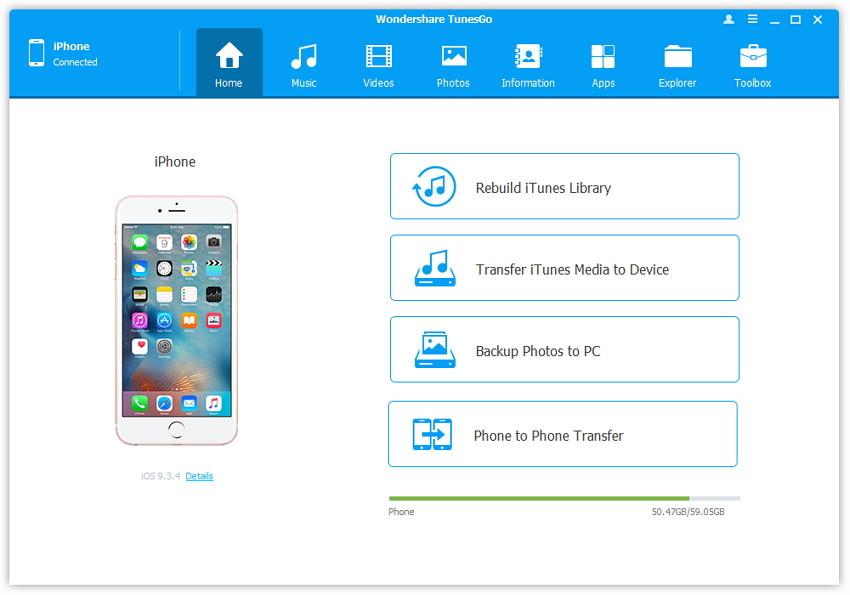
Step 1. Launch dr.fone-Transfer and connect your iPhone/iPad/iPod touch with the computer.
Method 1: Transfer Videos Using Buttons
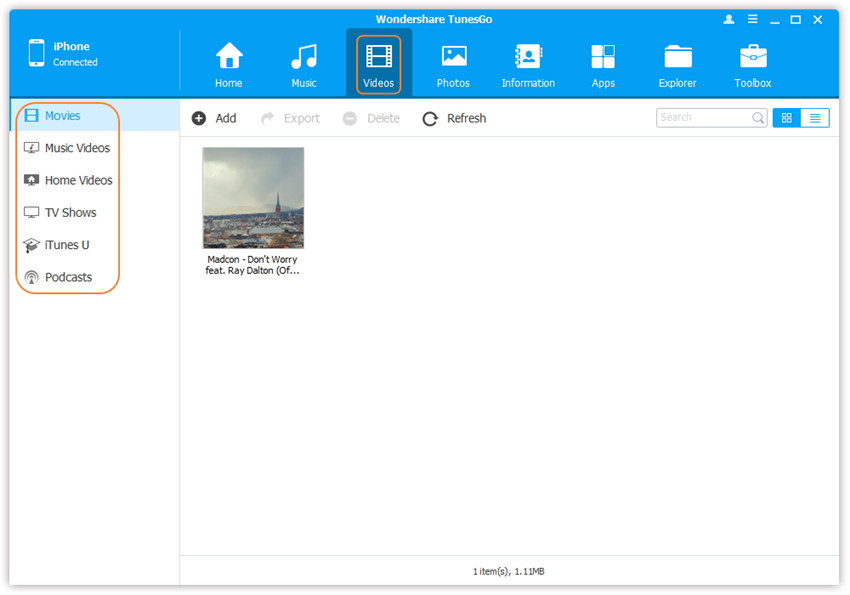
Step 2. Find video type in your iDevice.
Click Videos icon at the top of the main interface. Select a specific option Movies/Music Videos/Home Videos/TV Shows/iTunes U/Podcasts to transfer( "Movies" is the default option).
Step 3. Select and add videos from PC/Mac to iDevice.
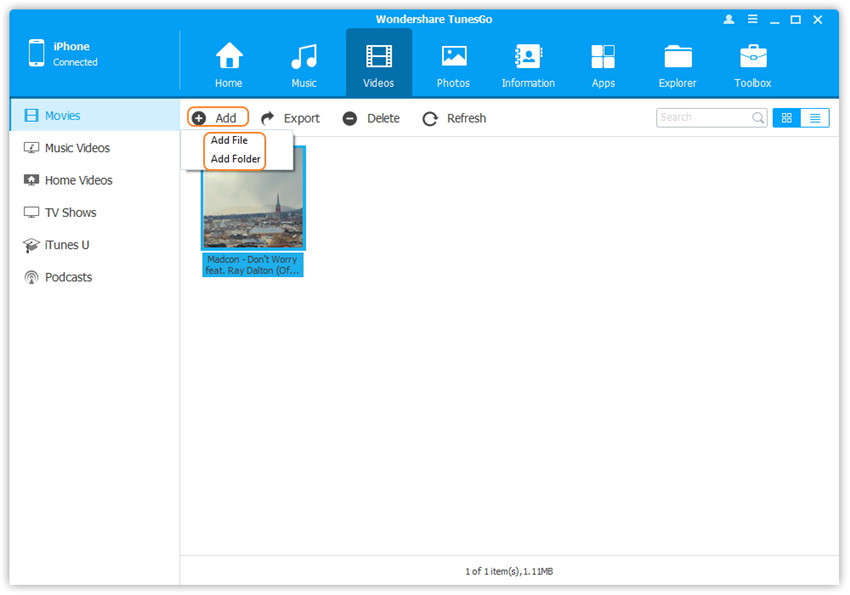
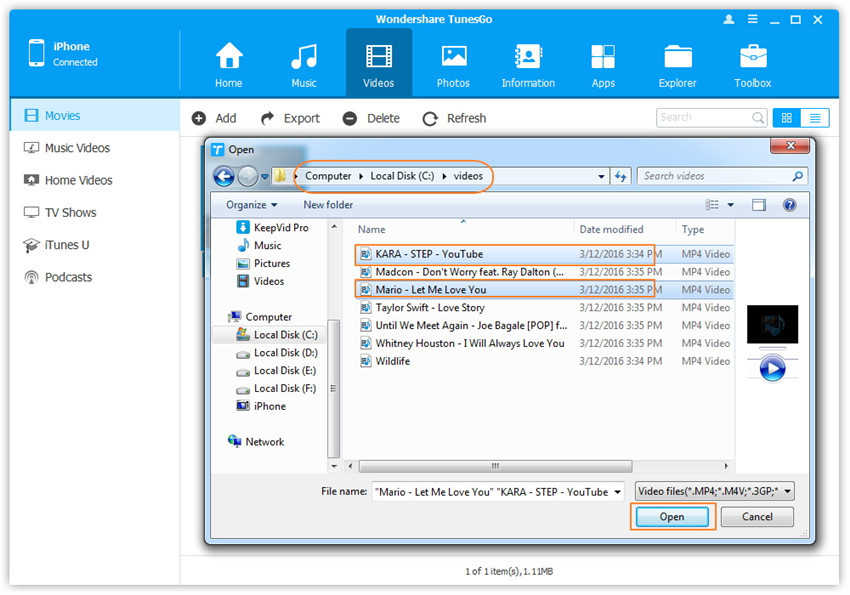
Later, click Add and then select Add File or Add Folder.
Note: If you only want to select some videos, then click Add File, and then hold down Shift or Ctrl key to choose multiple videos; if you want to tranfer all the videos in one folder, then click Add Folder.
From the pop-up window, browse and choose the target video(s) from your computer. And click Open. Then, the selected videos will be imported to the iDevice.
Method 2: Transfer Videos by Drag and Drop
Step 2. Find videos on your PC/Mac.
Find and open the video folder on your PC or Mac which includes the videos that you wish to transfer to your iDevice.
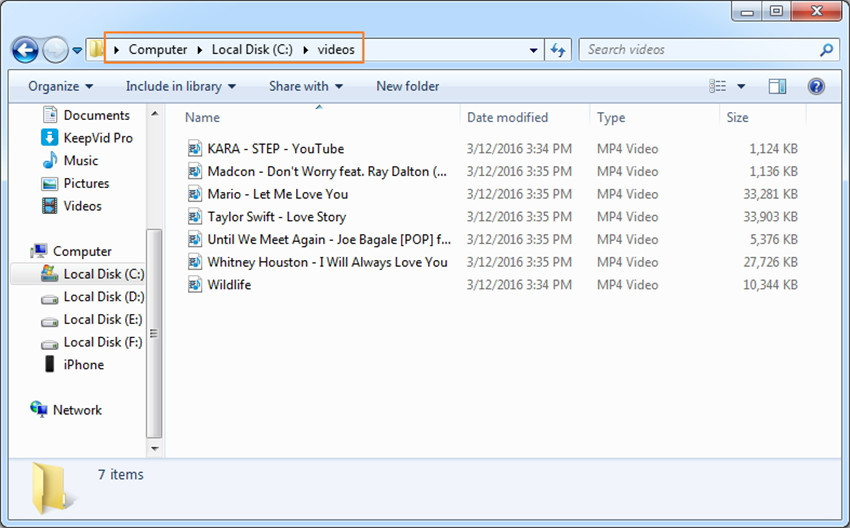
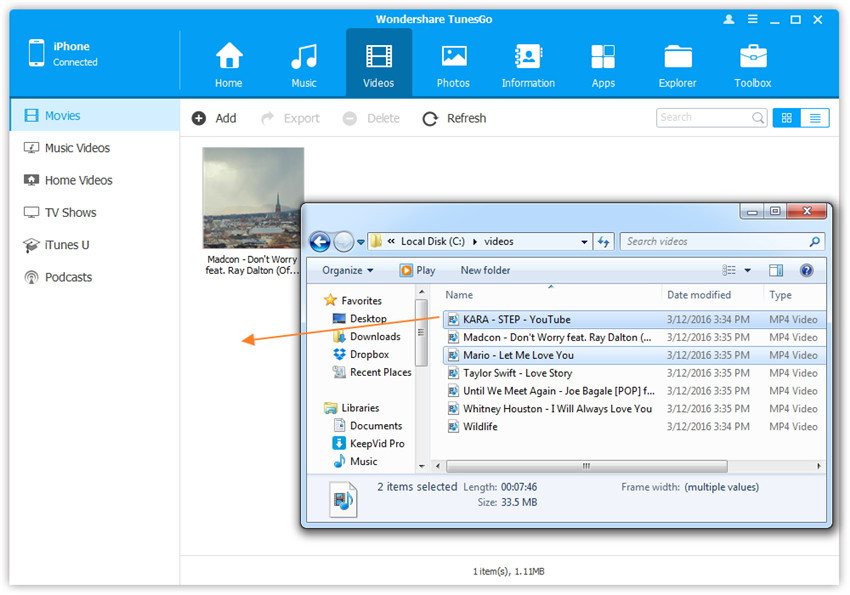
Step 3. Export the videos to iPhone/iPad/iPod by Drag and Drop.
Click Videos icon on the main interface of dr.fone-Transfer, it will go to the Movies window by default, Music Videos, TV Shows, iTunes U and Podcasts are available here too. Drag and drop the selected videos from your PC or Mac to the Movies window of dr.fone-Transfer.