Get Started
  dr.fone-Transfer (Android)
 Home - 1-Click File Transfer
- 1-Click Rebuild iTunes Library
- 1-Click Backup Photos to PC/Mac
- 1-Click Transfer iTunes Media to Android
- 1-Click Phone to Phone Transfer
 Transfer & Manage Music
- Transfer Music between Android and Computer
- Transfer Music between Android and iTunes
- Transfer Music Between iDevices and Android Devices
- Manage Music Playlists
- Delete Music on Android
- Find and Remove Duplicate Music Files
- Fix Android Music ID3 Tags (Only for Mac Version)
 Transfer & Manage Videos
- Transfer Videos between Android and Computer
- Transfer Videos between Android and iTunes
- Transfer Videos Between iPhone/iPad/iPod/Android
- Delete Videos on Android
 Transfer & Manage Photos
- Transfer Photos between Android and Computer
- Transfer Photos Between iPhone/iPad/iPod/Android Devices
- Manage Photo Albums
- Delete Photos on Android
- Convert Photos on Android to GIF
- Capture Android Screen(Only for Windows Version)
 Transfer & Manage Information (Only for Windows Version)
- Export and Backup Android Contacts
- Import and Restore Android Contacts
- Transfer Android Contacts to Other Device
- Manage Contacts
- Export and Backup Messages
- Import and Restore Messages
- Manage Messages
 Manage Apps
- Install Apps from Computer to Android
- Uninstall Apps on Android
- Export Apps from Android to Computer for Backup
 Explorer (Only for Windows Version)
 Toolbox
- Rebuild iTunes Library
- Transfer iTunes Media to Device
- Phone Transfer
- One-Click Root Android
- GIF Maker
 Tips for dr.fone-Transfer for Android
One-Click Root Android
dr.fone-Transfer empowers you to root your Android device in 1 click without the fear of voiding your warranty. It's 100% safe and secured.
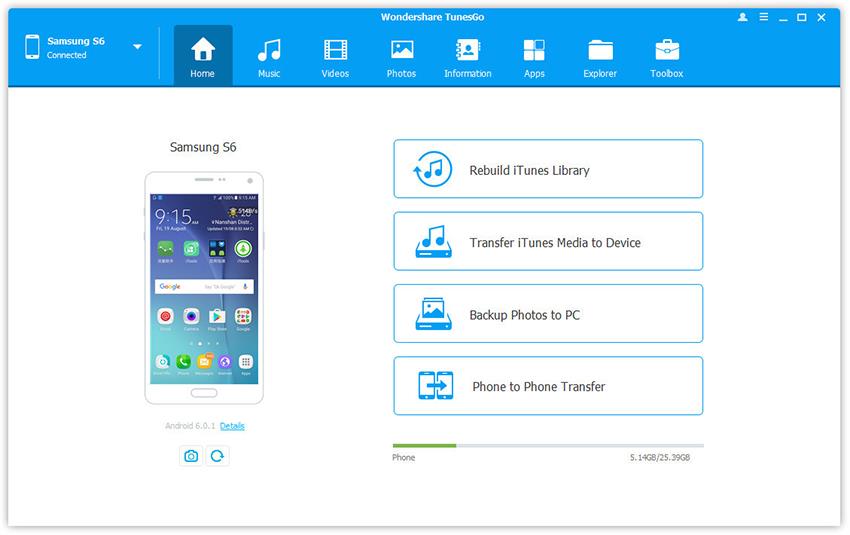
Step 1. Connect your Android phone or tablet to PC. Your Android device will be recognized and displayed in the primary window.
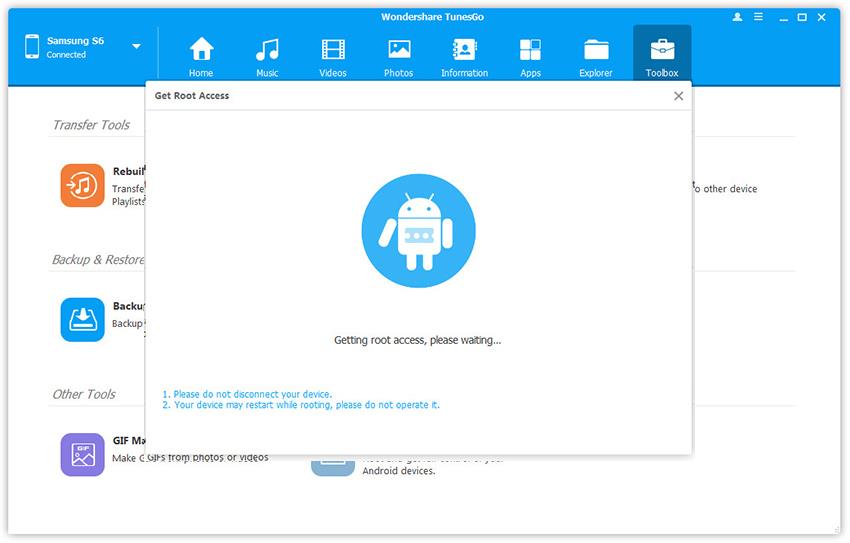
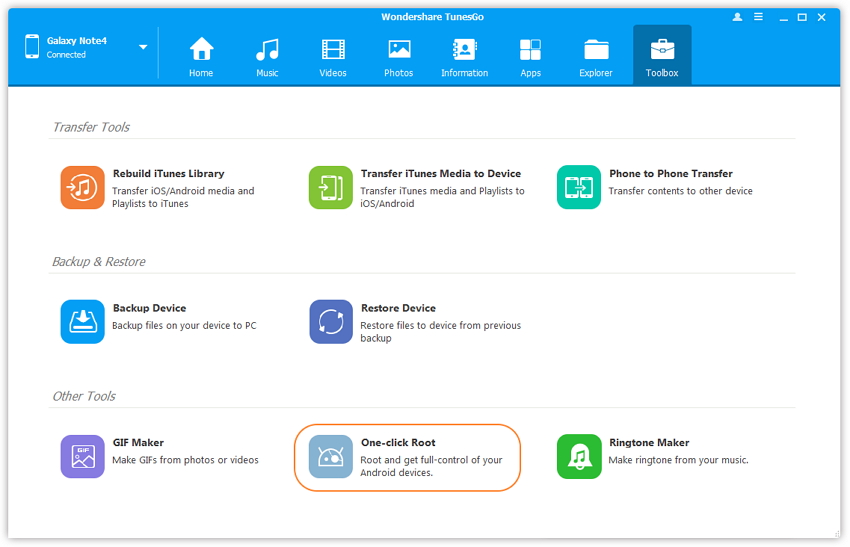
Step 2. Click Toolbox tab. In the Device Tools section, click One-click Root to root and get full-control of your Android devices. Read the warning message and click Root to start the process.
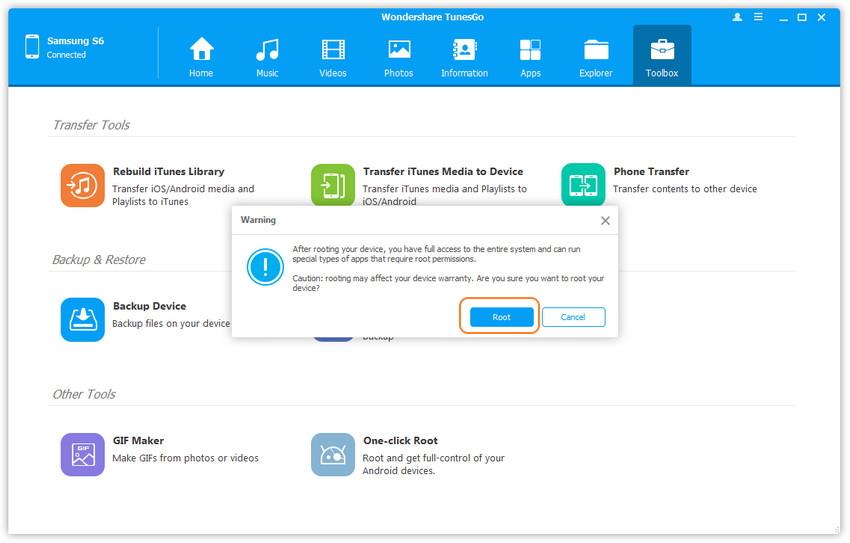
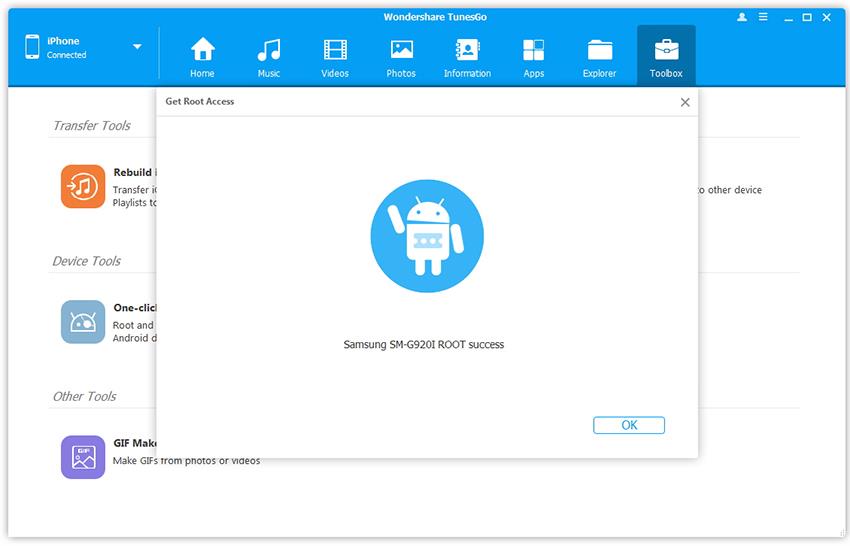
Step 3. Please wait while dr.fone-Transfer is getting root access. Be patient, because it can take a while.