 Get Started
  dr.fone-Transfer (Android)
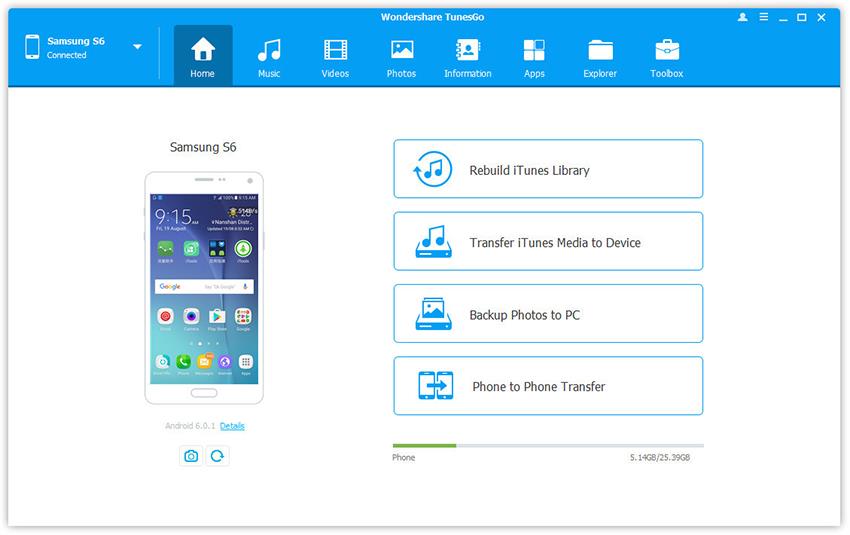
 Home - 1-Click File Transfer
- 1-Click Rebuild iTunes Library
- 1-Click Backup Photos to PC/Mac
- 1-Click Transfer iTunes Media to Android
- 1-Click Phone to Phone Transfer
 Transfer & Manage Music
- Transfer Music between Android and Computer
- Transfer Music between Android and iTunes
- Transfer Music Between iDevices and Android Devices
- Manage Music Playlists
- Delete Music on Android
- Find and Remove Duplicate Music Files
- Fix Android Music ID3 Tags (Only for Mac Version)
 Transfer & Manage Videos
- Transfer Videos between Android and Computer
- Transfer Videos between Android and iTunes
- Transfer Videos Between iPhone/iPad/iPod/Android
- Delete Videos on Android
 Transfer & Manage Photos
- Transfer Photos between Android and Computer
- Transfer Photos Between iPhone/iPad/iPod/Android Devices
- Manage Photo Albums
- Delete Photos on Android
- Convert Photos on Android to GIF
- Capture Android Screen(Only for Windows Version)
 Transfer & Manage Information (Only for Windows Version)
- Export and Backup Android Contacts
- Import and Restore Android Contacts
- Transfer Android Contacts to Other Device
- Manage Contacts
- Export and Backup Messages
- Import and Restore Messages
- Manage Messages
 Manage Apps
- Install Apps from Computer to Android
- Uninstall Apps on Android
- Export Apps from Android to Computer for Backup
 Explorer (Only for Windows Version)
 Toolbox
- Rebuild iTunes Library
- Transfer iTunes Media to Device
- Phone Transfer
- One-Click Root Android
- GIF Maker
 Tips for dr.fone-Transfer for Android
Convert Photos on Android to GIF
Step 1. Launch dr.fone-Transfer and connect your Android devices to PC.
Step 2. In the photo management window, choose your wanted photos and click Convert to GIF.
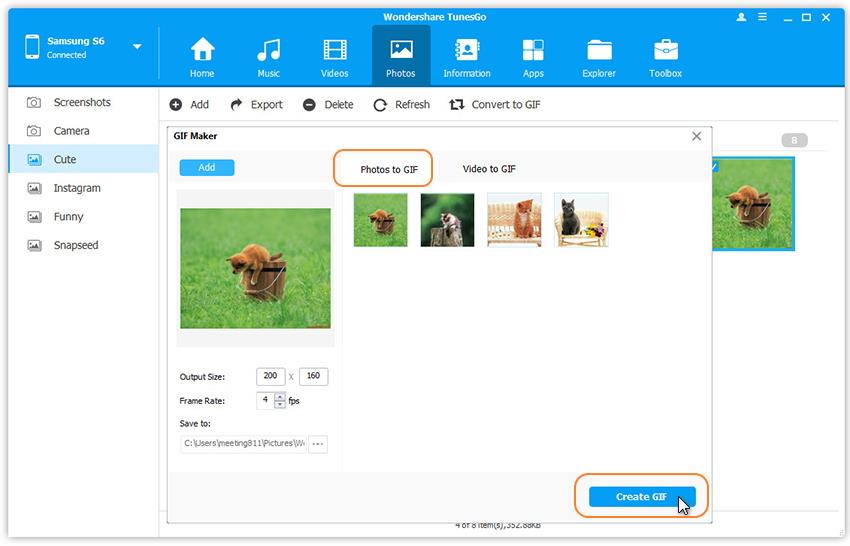
Step 3. In the pop-up dialog, click Yes.
Remark: Except creating photos on your Android device to GIF, dr.fone-Transfer also allows to create photos/video to GIF on your local computer, please refer to the guide GIF Maker to learn more.